
Work and Hiring
How to Write an ATS-Friendly Resume
TL;DR
- Use a simple, single-column layout with standard headings such as Experience, Education, and Skills. Avoid tables, text boxes, headers and footers, and images for important text.
- Match your words to the job posting when they are true. If the posting says “inventory control,” and you did that work, use that phrase.
- Lead each bullet with a strong verb and, when you can, a concrete result you can stand behind. Do not invent numbers.
- Save or upload a clean .docx or a text-based PDF, and check that the file still reads in the right order if you copy and paste it into a plain text file.
Many employers, including small ones that use a shared hiring inbox, run resumes through an applicant-tracking system (ATS) before a person reads them. An ATS is software that stores applications, and sometimes searches or ranks them. It is not a mysterious filter with a secret score. It is often just a system that needs to find your name, your work history, and a few words from the posting. The goal is a resume that a computer can parse and a hiring manager can read in a few minutes. CareerOneStop, a site sponsored by the U.S. Department of Labor, is a solid public starting point for resume basics; this guide applies those ideas to everyday hiring, including trades and first-line supervisor roles.
Use a layout a parser can follow
Start with a single column. Standard headings work: a name and contact block, a short summary if you want one, then Experience, Education, and Skills. If you have licenses, certifications, or a security clearance, give them their own heading. Fancy two-column designs, skill bars, icons, and text placed in tables or text boxes can scramble the reading order. Some systems also skip information that sits only in a header or footer, so put your name, phone number, city and state, and email in the main body of the document.
Use a common font such as Calibri, Arial, Georgia, or Times New Roman, at a readable size, and keep decorative lines to a minimum. Bold and bullets are fine. Your name can be larger than the rest of the text. You do not need a photo, and in many U.S. private-sector applications it is better not to include one.
Borrow the posting’s language — only when it is true
If the job posting says “forklift,” “cycle counts,” or “staff scheduling,” and you have done that work, use those words. Do not replace them with a unique synonym the system and the manager may not search for. If you have not done the work, do not add the phrase. Keyword stuffing is easy to spot in an interview, and it can make the rest of the resume look untrustworthy.
When you are not sure how a role is usually described, look up the occupation on O*NET OnLine, the Department of Labor’s occupational information site. O*NET lists common tasks and tools for each occupation. Use it as a vocabulary check, not as a script. Your bullets should still describe the work you actually did.
Write bullets a person can trust
Lead with a verb: scheduled, trained, repaired, closed, reduced, built, inspected. Then say what you did, and — only when you know the number — what changed. “Trained six new hires on the morning start-up checklist” is better than “Responsible for training.” If you do not have a number, a clear description of the work is enough. Do not invent percentages, dollar amounts, or headcount.
Put the most relevant experience first. For each job, include the employer name, your title, the city, and the dates (month and year is fine). If you did two very different kinds of work for the same employer, you can split them into two short blocks so the right tasks are easy to find.
A short skills list helps both the ATS and a tired reader. Group skills that belong together (equipment, software, licenses) rather than listing twenty one-word items in a row. Leave off outdated tools you could not use again tomorrow.
Check the file before you upload it
When an application asks for a Word file or a PDF, follow the instructions. A .docx file or a PDF saved from a word processor (not a scanned photo of a resume) is usually safest. After you export the file, open it and copy all of the text into a plain text editor. If your name, dates, and bullets appear in a jumbled order, go back and simplify the layout.
Name the file in a boring, useful way, such as Jane-Lee-resume.pdf. Use a professional email address, and make sure the phone number is one you answer. Then tailor the resume for the posting in front of you. A clean, honest, easy-to-parse resume will not get you the job by itself, but it will not get in the way of the person who can.
What this does not replace
A readable resume will not fix a missing license, a job you cannot describe, or an application that is late. It also will not hide a gap. If you took time out of the workforce, you can note it in a single honest line and then return to the work you can discuss. CareerOneStop has additional public advice on resumes, cover letters, and interviews if you want a longer walkthrough than this page.
If you are changing fields, lead with transferable work — supervising a crew, handling cash, keeping a job site safe — and put the older, less relevant jobs in a shorter list near the bottom. The ATS still needs those dates and titles; the human reader needs the relevant work first. When you are done, ask someone who does not know your job to read the first half of the page and tell you what they think you do. If they cannot say it back, rewrite until they can.
Sources
Optional
A template if you want one
Use these if you want a ready-made file. The guides and tools work without them.
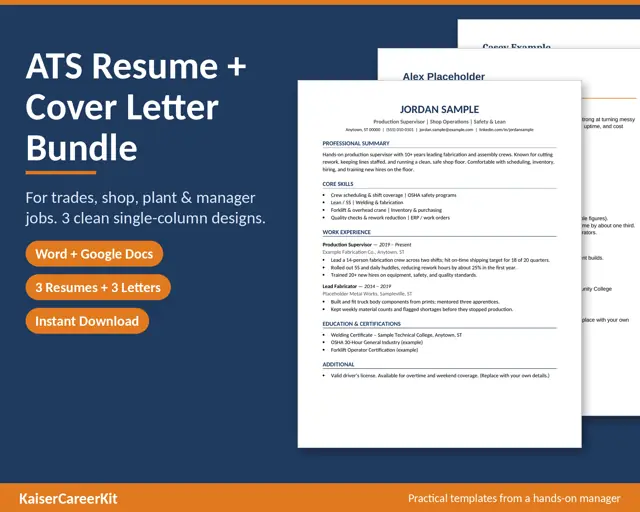
ATS Resume Template Bundle for Trades and Manager Jobs
Resume templates built for trades, shop floor, plant, maintenance and supervisor jobs, written by a hands-on manager with 20 years running shops, a hotel and a paint department.
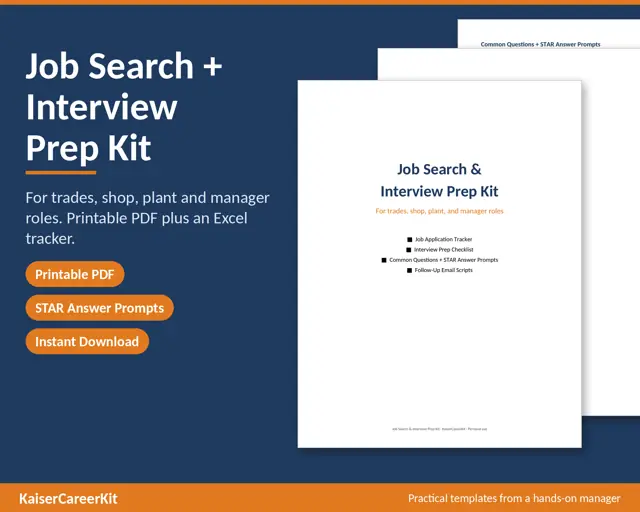
Job Application Tracker Excel + STAR Interview Questions Kit
A practical job search and interview kit for trades, shop, plant, maintenance and manager roles.
From Tim’s bookshelf
Go deeper with a book

The New Supervisor on the Shop Floor
A Practical Guide for First-Time Managers in Manufacturing, the Trades and Operations

Performance Reviews on the Shop Floor

The Boss Blueprint
Mastering Leadership Skills for Business Owners and Managers
More like this
Work and Hiring
How to Onboard Your First Employees
A simple onboarding plan for a small shop: what to do before day one, on the first day, in the first week, and at 30 days, without a large HR department.
Work and Hiring
A First-Hire Checklist for a Small Business
A practical checklist for hiring your first employee: EIN and payroll setup, employee versus contractor, W-4 and I-9, and a simple first-week plan.
Free printable
Get the free Christmas word search
Print a sample of our holiday word search puzzles for family game night, the classroom, or a quiet evening with coffee. Big, easy-to-read puzzles.
Free download, no purchase needed. The checkout page may ask for an email address to deliver the file.